
Finder
Search nearby transmitters with distance, azimuth, and multiplex details in one place.
Antenna alignment and signal planning
DVB-T Finder Map helps you locate transmitters, check azimuth, compare MUX data, and estimate installation quality before climbing the roof.
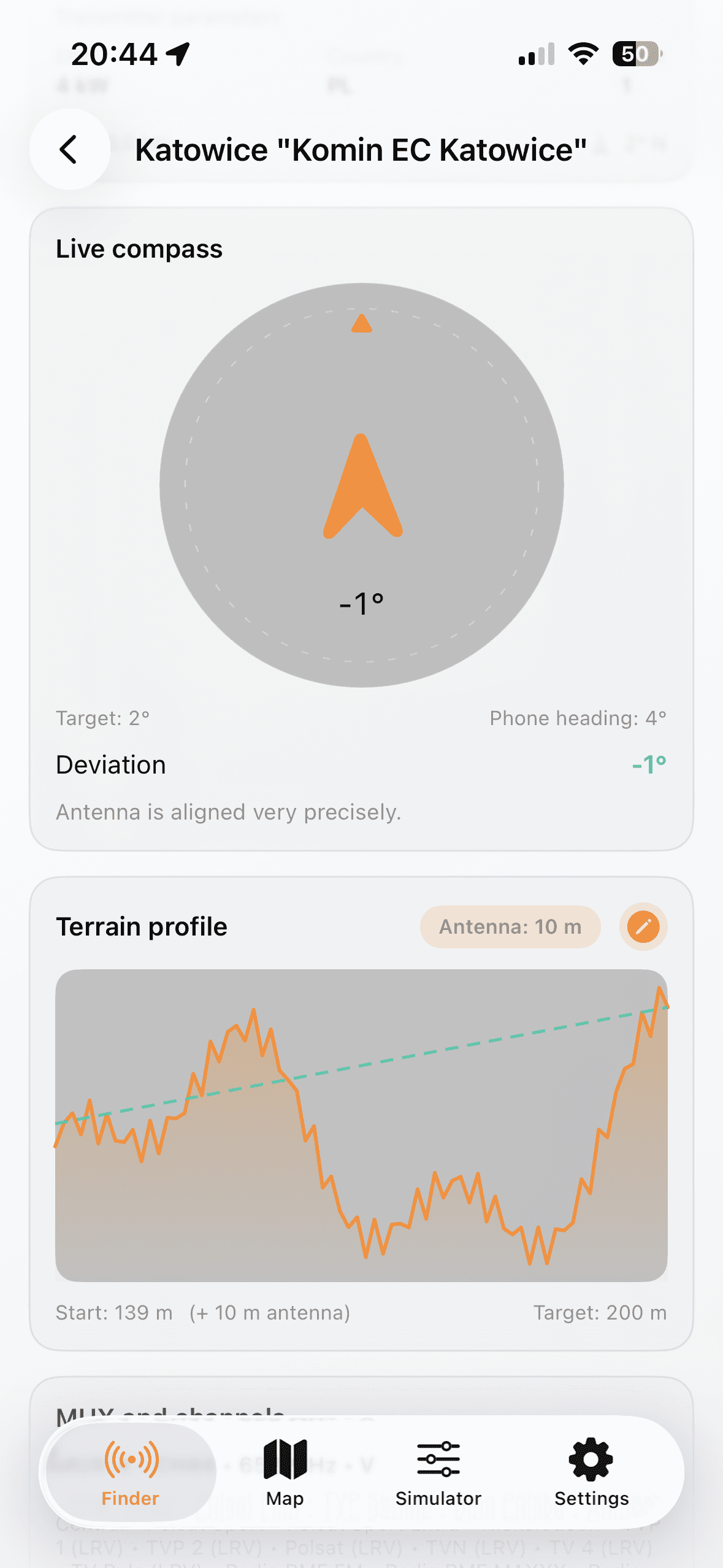
Search nearby transmitters with distance, azimuth, and multiplex details in one place.
Review placement and terrain profile to reduce blind alignment attempts.
Use your phone heading to rotate antenna faster toward target azimuth.
Estimate signal margin with antenna gain, cable loss, height, and amplifier settings.
Visual direction for Finder, Map, Compass, and Simulator modules.
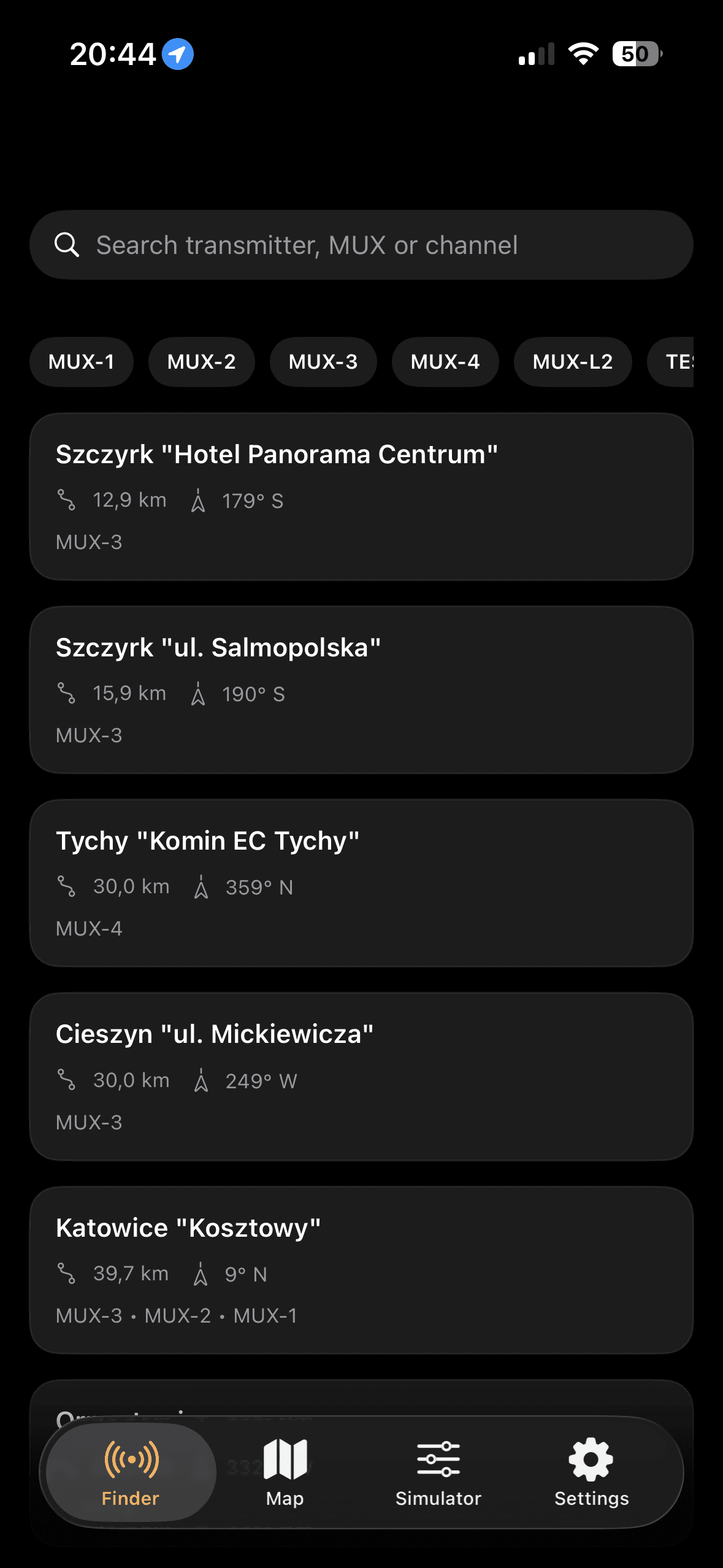
Quickly compare transmitters by direction, distance, and available multiplexes.
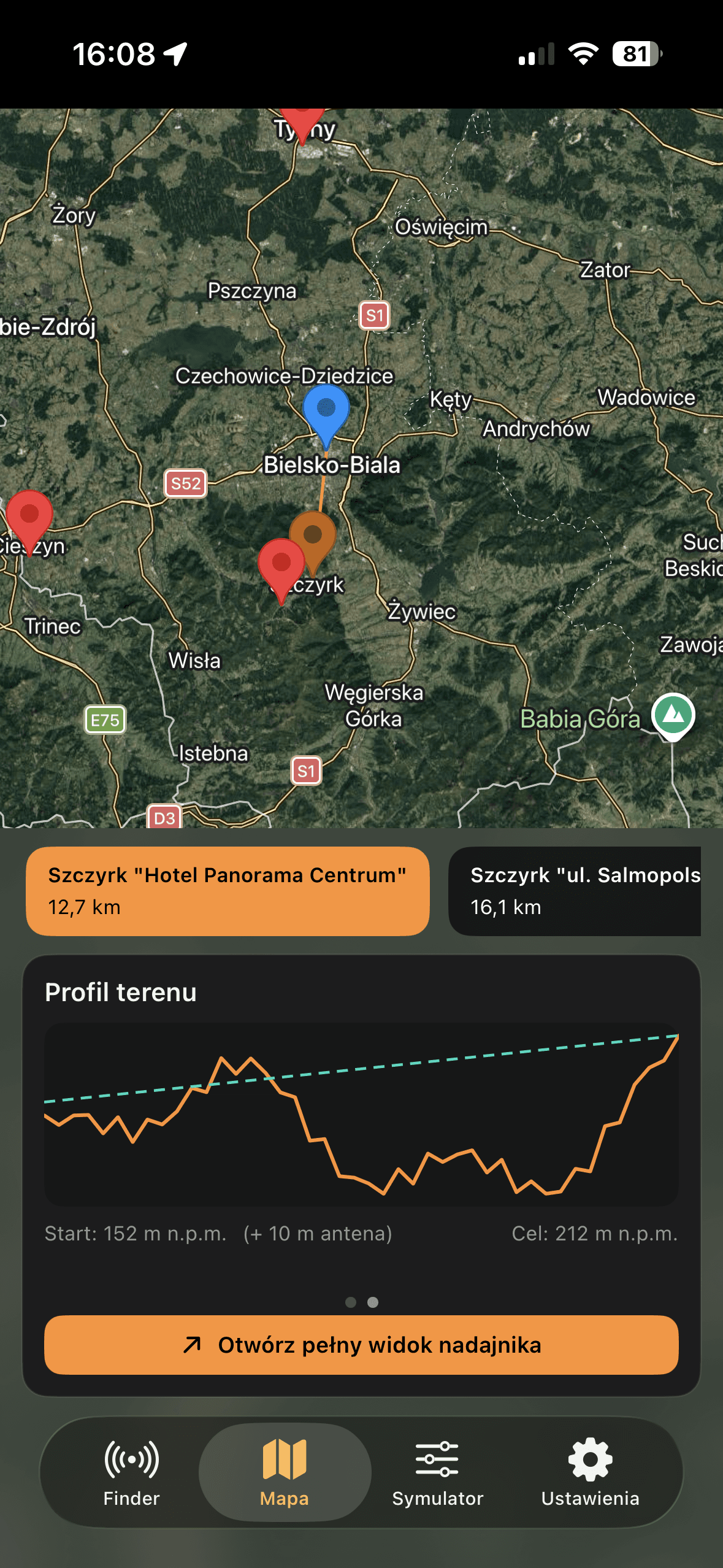
Validate setup choices with map context and terrain-aware orientation.
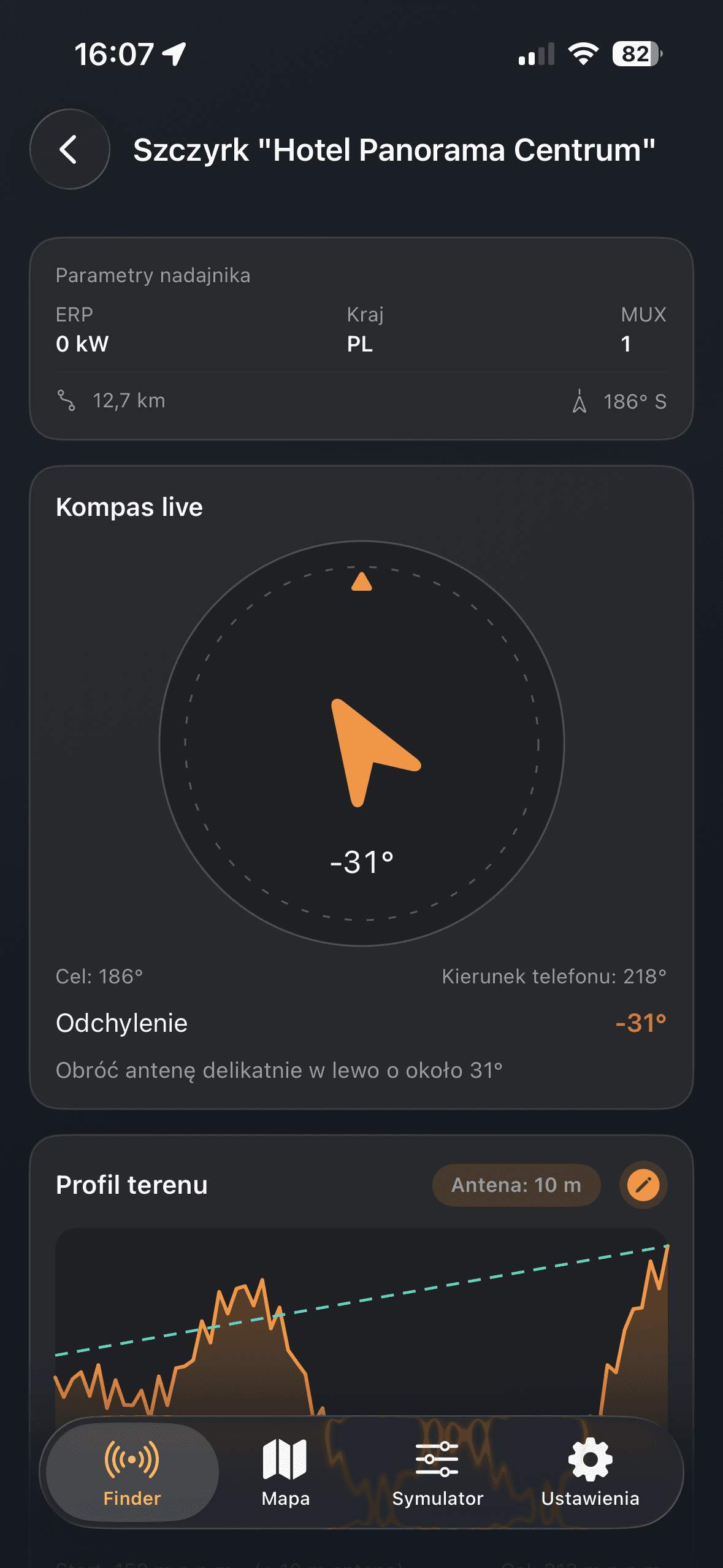
Align antenna toward target azimuth with fewer trial corrections.
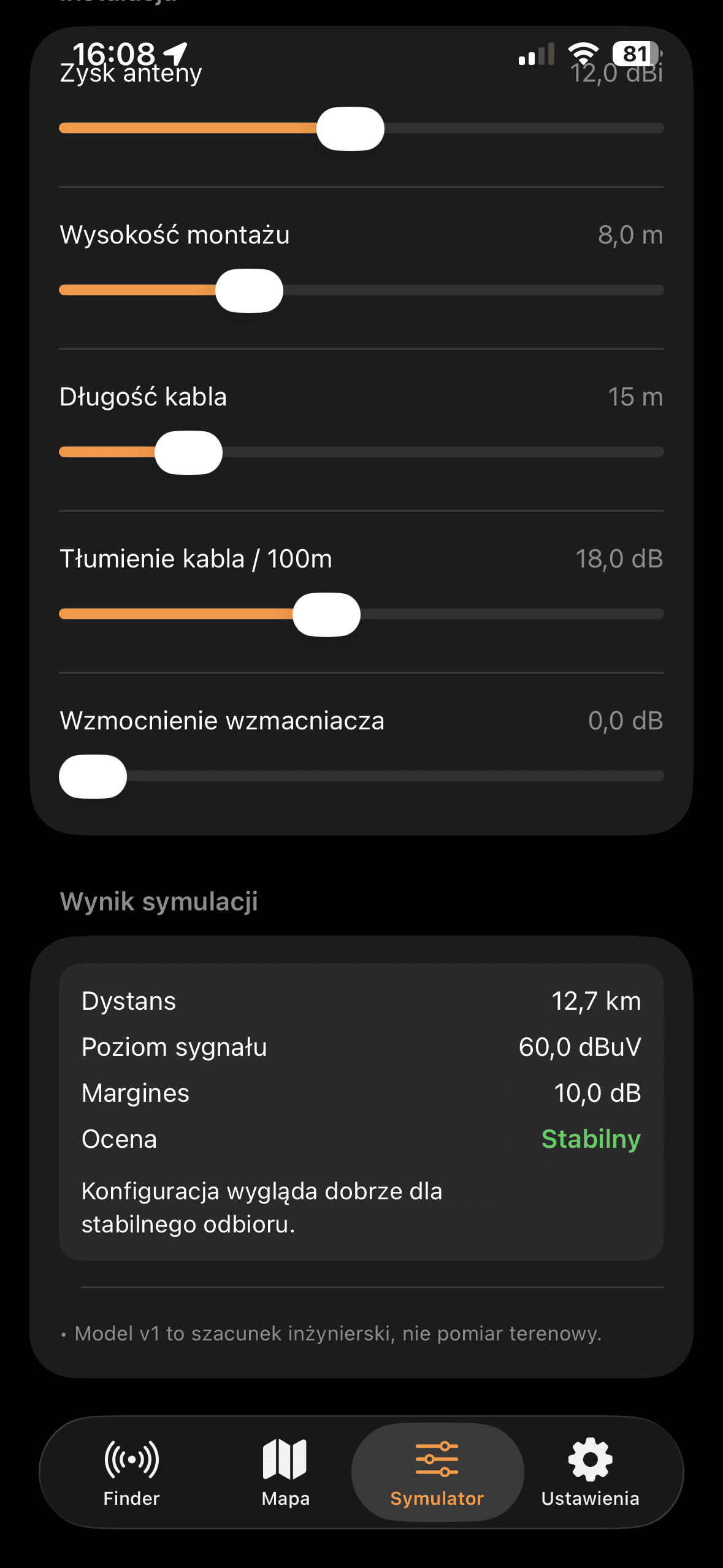
Estimate margin using installation parameters before final physical tuning.
Dedicated map workflow for transmitter lookup, azimuth planning, and terrain-aware antenna tuning in the United Kingdom.
Open the dedicated map page to check transmitters in the United Kingdom, alignment directions, and terrain context before final tuning.
DVB-T Finder Map combines practical transmitter lookup with field-friendly orientation tools in the United Kingdom.
You can compare transmitters by distance and azimuth, inspect MUX data, and validate decisions with the installation simulator.
For quick home checks and professional workflows, it keeps critical data readable and actionable on mobile.
Common questions before first on-site use.
Core country datasets are bundled in the app, but map and some network features may still require internet access.
Yes. You can set a manual position in settings when GPS is unavailable or less precise.
No. It is an engineering estimate that helps decisions before final on-site verification.
Yes. Finder and map views are designed for fast shortlist and comparison workflows.
Use your phone as a practical field tool for setup and verification.